Frequently Asked Questions

Find answers to common queries about our app’s features, troubleshooting, subscription plans, and more in our comprehensive FAQs section.

Yes. No credit card required. Create your gallery, invite a friend, and experience exactly how it works before your special day.


No. Guests scan a QR code and upload instantly from their phone browser. No app, no account, no friction

  1. To stop an ongoing or live event, click on the stop icon present on the Live Event tile of your home page.
  2. If you are a host, you need to enter a name and category for your event to finish the process.

With Picaggo, they don’t have to remember anything. Guests who download the optional mobile app have every photo uploaded automatically in the background as they take them — Smart Sync does it silently while they dance, laugh, and celebrate. For guests who prefer the QR code, the gallery stays open after the event, too, so nothing gets missed either way. 

Smart Sync is Picaggo’s hands-free auto-upload. Guests who download the app have every photo they take uploaded automatically in the background — zero tapping, zero remembering. They just enjoy the event.

You have the option to add a Google Drive account in the mobile app. Once connected, Everything syncs automatically to your Google Drive, so your memories are yours forever — not locked in our platform. You can also download the full album in one click.

It’s an annual plan, so your gallery stays live and accessible. You’re never locked in — download your full album anytime and cancel before renewal with no penalties. No hidden fees, no surprises.

Picaggo gives you the option to report inappropriate media file, comments or user if you find it offensive. You can also block the user.

To report inappropriate image/video:

  1. Click on the particular image or video file
  2. Click on three dots at the top right corner. This will open up options to Report Content, or Report Content and Block User or Block User.
  3. Select any desired option.

In case of report, we at Picaggo will register your request and review it within 24 hours. You will be intimated by email on the updates to your request.

If you select Block User, it will remove the user and their content form your account until you unblock them. And the blocked user too cannot see your account.

Yes. You invite your photographer, and their album merges automatically with your guest photos into one complete gallery. No more managing two separate albums.

Yes. Our AI face recognition finds every photo you appear in across the entire gallery — guest photos and photographer shots combined.

Still have a question? Ask your question here


Subscribe to Our Newsletter

Subscribe To Newsletter

Stay updated on the latest news, tips, and offers by subscribing to our newsletter. Don’t miss out! Sign up now.

Thanks for subscribing!

We don’t share your personal information with anyone or company. Check out our Privacy Policy for more information.

Latest Blog Posts

Vestibulum ante ipsum primis in faucibus orci luctus et ultrices posuere ipsum dolor sit amet, consectetur elit.

Uncategorized

AkshayApril 20, 2026

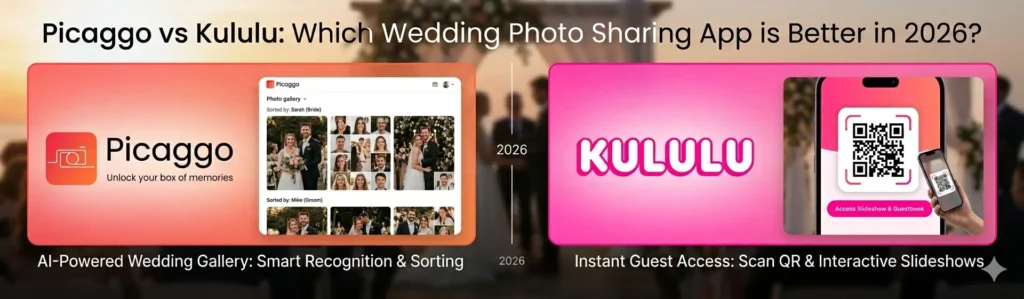
Picaggo vs Kululu: Which Wedding Photo Sharing App is Better in 2026?

Table of Contents

Introduction

Wedding photo sharing has become an increasingly popular trend. With 2026 coming up, it is very important to choose the right platform as there are 1000s of wedding guest photos out there.

In this case, the two well-known wedding photo sharing platforms are:

  1. Picaggo (AI-automated smart photo-sharing system)
  2. Kululu (QR code-based interactive photo-sharing system)

Whereas both platforms allow you to share guest wedding photos, the technologies they use, the user experience, and the ability to scale are all very different.

What is Picaggo?

Picaggo is a modern, AI-automated wedding photo-sharing platform with the following functionality:

Limited to Optional AI:

  • QR Code + Link
  • Yes – No Manual Browsing
  • Yes – Strong Feature
  • High Level (Theming, Captioning + Styling)
  • Fairly Simple to Use, but Has a Large Number of Features

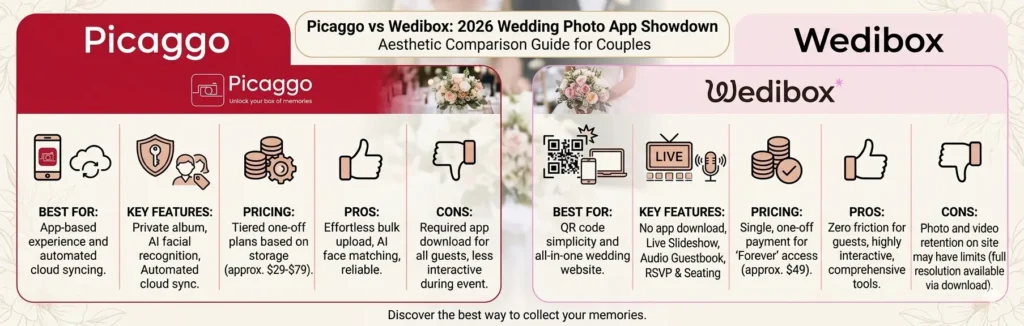
Some of Picaggo’s advantages include:

  • Automated – AI organizes uploaded remote guest photos
  • Guests can easily find their photos
  • Creation of an album that contains ALL guest wedding photos in ONE place
  • Real-time photo uploads

The key advantage of Picaggo is that it is automated by AI, meaning no manual sorting is needed.

What is Kululu?

Kululu is a QR code-based interactive wedding photo-sharing system that is meant to be fun and engaging for guests while they are at the wedding.

Here are the key features of Kululu:

  • Guests upload photos via QR Code or URL
  • Real-time photo wall (live slideshow)
  • Digital photo album containing photos, video, and messages
  • Personalized themed wedding with customizing available

Kululu was created with the idea of using technology to make sharing photos during the wedding fun and engaging.

Picaggo vs Kululu: Quick Comparison

FeaturePicaggoKululu
Core FocusAI-powered photo sharingQR-based photo collection + slideshow
AI Features Face recognition, smart sorting⚠️ Limited / optional AI features
Guest AccessQR code + linkQR code + link
Real-Time Sharing Yes Yes
Photo Organization Automatic (AI) Manual browsing
Live Slideshow⚠️ Limited Strong feature
CustomizationModerateHigh (themes, captions, styling)
Ease of UseVery simpleSimple but feature-heavy
Difference between Picaggo & Kululu

How to Compare Key Features In Detail

1. Photo Collection And Uploading Experiences

Picaggo:

  • Instant upload without friction, and AI will organize photos for your automatic use (no effort on your part).

Kululu:

  • QR Code Upload (no app required) to upload with your guests (all ages can use this).
    While both products make this process easy – Picaggo emphasizes automation, whereas Kululu emphasizes ease of use/simplicity.

2. AI And Intelligent Photo Searching (Key Contrasts)

Picaggo:

  • Combines AI to recognize faces;
  • Groups pictures to provide you with similar kinds of pictures;
  • Searches based on your personalized photography database.

Kululu:

  • The basic gallery is searchable manually or through cost-based AI (limited capabilities) with no personalized photo searching.
    Using AI features of Picaggo, large weddings can tremendously reduce searching time by several hours.

3. Guest Experiences

Picaggo:

  • Guests can instantly find their photos  
  • Guests can have a personalized experience (i.e., being able to view pictures you have shared, etc.);

Kululu:

  • Guests can upload and View Pictures
  • Guests can have more interaction during the event (live wall).
    Kululu has an advantage through guest interactions during the event, whereas Picaggo has an advantage after the event.

4. Live Slideshow And Engagement

Picaggo:

  • More on albums and discovering your photography.
  • K: – Photo slideshows can be projected in real-time on screens and provide interactive engagement between your guests, supporting the entire event.
  • Kululu: provides you with more potential for on-stage engagement with your guests.

5. Customization And Features

Picaggo:

  • Providing you with a focused and streamlined user interface while leveraging complexity.

Kululu:

  • Provides you with the ability to use custom thematic event photography, and provides captions and text-based postings for all events, provides tools for moderating events, and provides a highly customizable experience to you through moderation of digital guestbook events.
  • Although Kululu has more features overall than Picaggo, the variety of ways in which users can personalize their guestbook experience may be somewhat overwhelming at times.

Final Verdict on Picaggo and Kululu

Choose Picaggo if you want an:
• AI-based method to search for photos
• Automated organization of photos
• Best possible experience with larger weddings
• Modern, scalable solution

Choose Kululu if you want an:
• Simple method for uploading photos (QR codes)
• Live slideshow of photos during the event
• Customizable theme and interactive features
• Affordable option

Expert Recommendation (2026)

Picaggo is the best choice for most modern weddings because:
• AI eliminates the need for manual work
• Guests can find photos instantly
• Works better when there is large scale (more than 100 guests)

However, Kululu is a great choice if your priority is:
• A live display and interaction with guests at an event!

Picaggo offers superior options for organizing events with AI. Kululu offers superior options for preparing a custom live slideshow.

Kululu offers limited options when compared to many of today's platforms with AI features.

Picaggo uses AI to automate the overall management of an event, while Kululu emphasizes ease of use and real-time interaction.

Picaggo is the only application that provides event management through an extensive AI foundation, focusing on scalability.
 

Uncategorized

AkshayApril 20, 2026

Disposable Camera App Wedding: The Modern Alternative to Traditional Wedding Cameras

Table of Contents

Introduction

Disposable cameras have always provided a fun element to weddings, allowing guests to take pictures of their surroundings in a candid and unedited manner.

Today’s couples want to do something smarter than using disposable cameras.

How Disposable Camera Apps Work – The New Way to Use Disposable Cameras at Weddings
By using a disposable camera wedding app, your guests can take on a virtual disposable camera experience through their own phones!
All the major components of a disposable camera are present, in addition to:

  • Turning each guest’s phone into a disposable camera

The number of images we receive will be limited, similar to how you would with an actual camera.

  • Collecting all photos taken by guests and posting them in one common album.

In many cases, these photographic devices come with QR codes for your guests to scan in order to start using them, so there is very little setup to get them going.

How Does This Work? - Disposable Camera Apps Work in 6 Steps

1. You will set up your event in the app

2. You will generate a QR code or link for your guests to scan

3. Your guests will scan the QR code or click on the link

4. A virtual disposable camera user interface will be opened on your guests’ mobile devices

5. Your guests will take a limited number of photos

6. All photos taken by your guests will be stored in a common album for your guests to view together.

Many disposable camera apps are designed to delay the viewing of photos taken by the guests, simulating the old film development process and providing a little fun.

Best Disposable Camera Apps for Weddings (2026)

There are many great options for couples looking for a fun way to capture their wedding memories using disposable cameras. Here is a list of the best disposable camera apps available in 2021:

1. Lense (also known as Qcamera) offers an enjoyable experience using disposable cameras through a QR code system. No app needs to be downloaded, and guests will have access to a shared digital album. You can also choose to have your photos revealed later, making it more like the traditional disposable camera.

2. POV app focus is on creating an experience that guests will remember. This app limits the number of pictures a guest can take and does not require any downloads. The pictures taken will typically be revealed to guests 1-2 weeks after the event, which is similar to the feel of disposable cameras.

3. Party Cam was developed specifically for capturing wedding events using your smartphone as a disposable camera. Party Cam is also user-friendly.

4. Disposable app is also QR-based and is designed for large weddings, where guests can scan your QR code and start taking pictures. Guests will be limited to a number of photos, and all photos will be in one central album after the wedding.

5. PixelParty is a modern disposable camera app. With PixelParty, there are no limits on the number of pictures you can take, and all pictures are instantly available to guests.

Overall, the pros of using a disposable camera app will be an experience that feels similar to using an actual disposable camera.

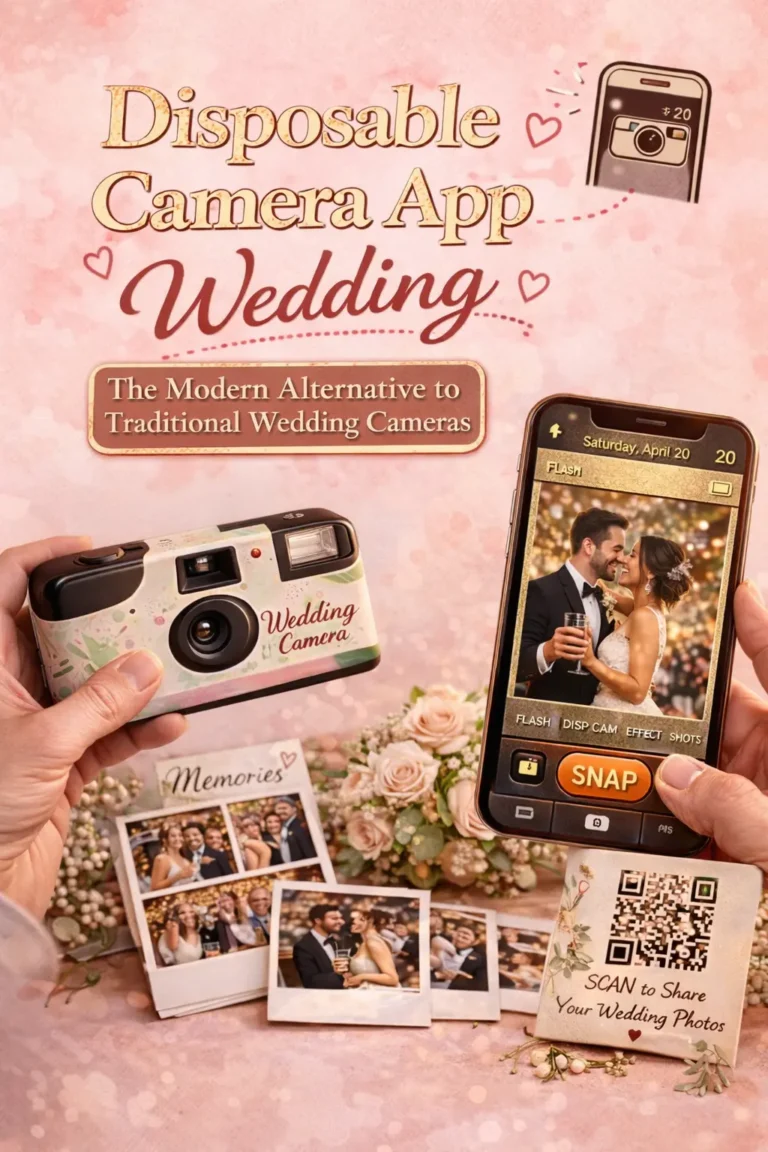
The image includes the text "Disposable Camera App Wedding"

Pros of Disposable Camera Apps

  1. A nostalgic experience – Similar to using an actual film camera.
  2. Easy access for all your guests – QR code uses will not require any technical knowledge.
  3. Candid moments only – By using a QR code, guests will naturally want to take cool-looking, unfiltered pictures.
  4. All pictures will be stored in one album.


Disposable Camera Apps: Limitations

Despite being simple to use, disposable camera apps have limits. Here are just some of the reasons why you should be cautious when it comes to your special day!
❌ Limited guest photo upload ability
❌ Guest participation is inconsistent
❌ Inability or difficulty accessing the internet
❌ Less ability to control photo quality from different guests reporting inconsistent participation or technical problems during such an important event.

Best Alternative: AI Photo Sharing Apps (Picaggo)

Although disposable camera apps can be great fun, there is a more powerful solution for today’s weddings: using AI (artificial intelligence) to share photos.
The Advantages of Using Picaggo:
Unlimited Photos
• No limit on the number of guests, adding unlimited photos

AI Facial Recognition
• Find all photos easily without difficulty in the use of facial recognition

Real Time Sharing
• Access all photos at once as soon as they have been shared

Higher participation rate by guests
• No limitations and no need for understanding how to use heiress’s photograph from their perspective or through many other methods available.

Centralized Smart Album
• Pictures are stored in an organized fashion automatically.
So instead of limiting the number of memories, Picaggo helps you create all the great memories from your wedding!

Disposable Camera App vs Picaggo

Feature Disposable Camera Apps Picaggo
Photo Limit Limited Unlimited
Experience Fun but restricted Smart + scalable
Photo Access Sometimes delayed Instant
Organization Basic AI-powered
Guest Participation Moderate High

Tips for Wedding Photography

By using both:
● Use a disposable camera app with friends and family to add fun!
● Use Picaggo for the full wedding album you will receive.

This gives you:
● A nostalgic feeling of the day
● Complete wedding album

A disposable camera app helps to capture the fun and memories of being there through the use of guests' smartphones as disposable cameras and share those photos in one album.

Some apps allow you to access pictures through a QR code, while most require you to download an app.

Disposable camera apps are easier on your pocketbook and on your time, but they will not have the same sentimental value as film photographs.

Some of the most popular options for disposable camera apps are lenses and POVs, but software programs with AI functions such as picaggo offer superior digital images and more advanced features.

To get the best results, use Picaggo as your primary source for wedding photos, and a disposable camera app as a supplement.

Uncategorized

AkshayApril 18, 2026

Wedding Photo Ideas for Reception: Creative & Modern Ideas

Table of Contents

Introduction

The wedding reception is where you go to have fun, dance, and enjoy the more casual aspects of your wedding day. While the ceremony photographs tend to be more traditional and formal, the reception photos capture spur-of-the-moment enjoyment and emotion.
If you want your wedding album to stand out and be something to get excited about, you need to find unique wedding reception photography ideas to illustrate the energy and excitement of the night.

Benefits of Reception Photos
Reception photos:
● Reflect genuine/sustainable moments
● Document guest engagement and emotion
● Show decoration/lighting/décor
● Tell a complete story about the day
These are often/usually the most memorable photographs of the day.

Best Wedding Reception Photography Ideas (2026 Trends)

1. Grand Entrance Shot
Capturing your entrance into the reception, such as:
● Entering the reception as a couple
● Entering the reception by dancing
● Entering to confetti or cold pyros
Capture the energy you are bringing into the reception, which is what will set the tone for the remainder of your wedding album.

2. More First Dance Magic
Tags:
● Spotlight + soft lighting
● Slow-motion spin
● Wide-angle romantic shot
● Recommendation: Use fog/fairy lights

3. Candid Your Guests
● Friends laughing/expressing emotion
● Family talking to each other
● Kids playing with each other
Candid photos are generally the most authentic/emotional photos of your entire wedding event.

4. Table-to-Table Photos
● The couple visiting each guest table
● Taking a quick picture of the couple with each table
This ensures that you will have photographic memories of every guest in attendance at your wedding, albeit in a very short amount of time.

5. Energy Shots of the Dance Floor

  • Pictures of the action on the dance floor
  • Crowd cheering for the dancers
  • DJ moments

These shots are great to capture the party feel.

6. Cake-Cutting Celebration

  • The couple feeding each other
  • Playful cake smashing
  • The guests’ reactions

Must-have highlights.

7. Sparkler Send-Off or Night Shots

  • Beautiful photos of guests with sparklers
  • Photos in front of fireworks
  • Night portraits of the couple.

All three types of images create cinematic and high impact visuals.

8. Couple Portraits at the Reception Venue

  • Use the décor of the reception in the background
  • Romantic poses with creative lighting

These images combine lovely décor with emotional images of the couple.

9. Guests Photographing on a Photo Wall / Backdrop Shots

  • Guests taking photos on the photo wall/backdrop
  • Photos of the couple together.

The photo wall/backdrop serves as both décor and a photo opportunity.

10. Live photo sharing moments (New trend)

Don’t just rely on your photographer. Use a live photo sharing app like Picaggo to allow guests to upload photos as they create them.

  • Your guests will be able to upload photos almost instantly.
  • Guests can capture angles that your photographer may miss.
  • You will have a complete collection of all of the photos taken at your wedding.

Using Picaggo will ensure that you will have every moment captured at your wedding, no matter who takes the photos.

The image includes the text as "Wedding photo ideas for Reception"

Unique & Creative Reception Photo Ideas

Picture Perfect Portraits:
• Easy to use
• Professional and personal touch
• Create a lifelong memory
• Provides a variety of ways to create and display your portrait

Examples of Ways to Display Portraits:
• Framed Prints
• Canvas Prints
• Mini-Mudios
• 16 X 20 and 20 X 30 Photos

How Picaggo Enhances Reception Photography

Picaggo provides utility beyond its use to capture your big day. Here are some additional ways in which we enhance your experience with Picaggo:

Benefits of Picaggo Services:
• Your guests can contribute their photos to the album in seconds
• You will receive all of the photos taken during your event from all different perspectives
• All your pictures are organized for you by AI
• Your guests can easily find their own photos from the event they attended
• You will receive a live album during your event

The use of Picaggo will turn your wedding reception into an all-encompassing documentary of your wedding day.

There are many different ideas, but some of the best ones include grand entry, first dance, candid moments, and dance floor photography.

Some ideas include using lighting creatively, incorporating props, taking many candid photos, and using AI-assisted photo collection tools.

Definitely; your guests' candid photos will provide a different perspective than what you will get from your photographer.

There are websites such as picaggo that allow for easy collection and organization of guest photos.

You should plan on photographing all of the key moments including your entry, first dance, cake cutting, and dance floor time.

Get In Touch

Questions or feedback? Reach out to us anytime. We’re here to help enhance your photo collection app experience.

Office Location

1313 N. Milpitas Blvd
Suite 167, Milpitas
California – 95035
United States

Phone Number

+1 408 213 7454

Email Address

[email protected]

Working Hours

09:00AM to 06:00PM